Station screens, the roster and the free camera
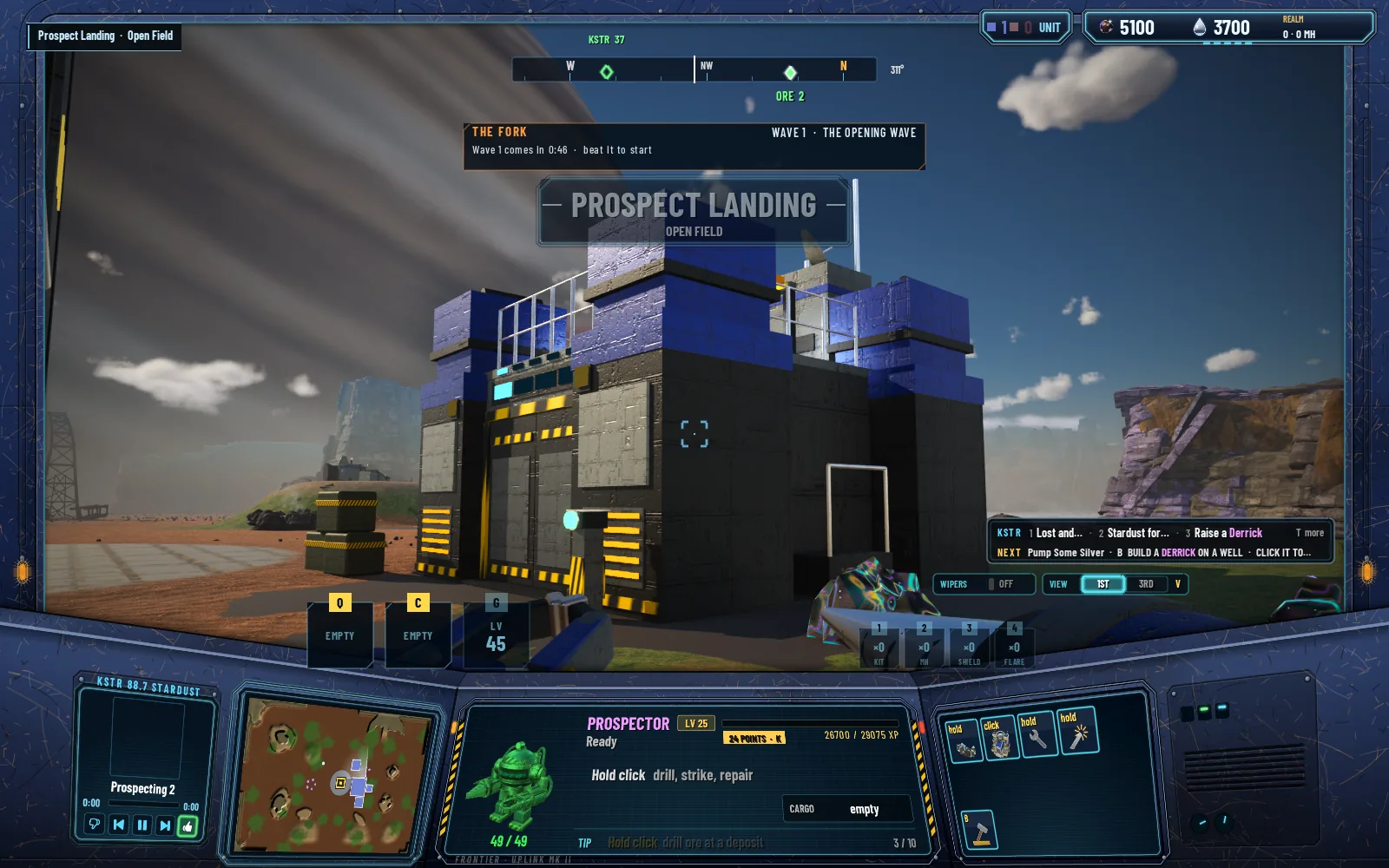
Buying a Mule at the Foundry used to be one button and then nothing: no sign of what was going on. Now every building with something to do has a post by its door and a screen behind it, the building's own lamps count the job up, and the top-down camera roams the whole world, out to a view of every region at once.
The post and the screen
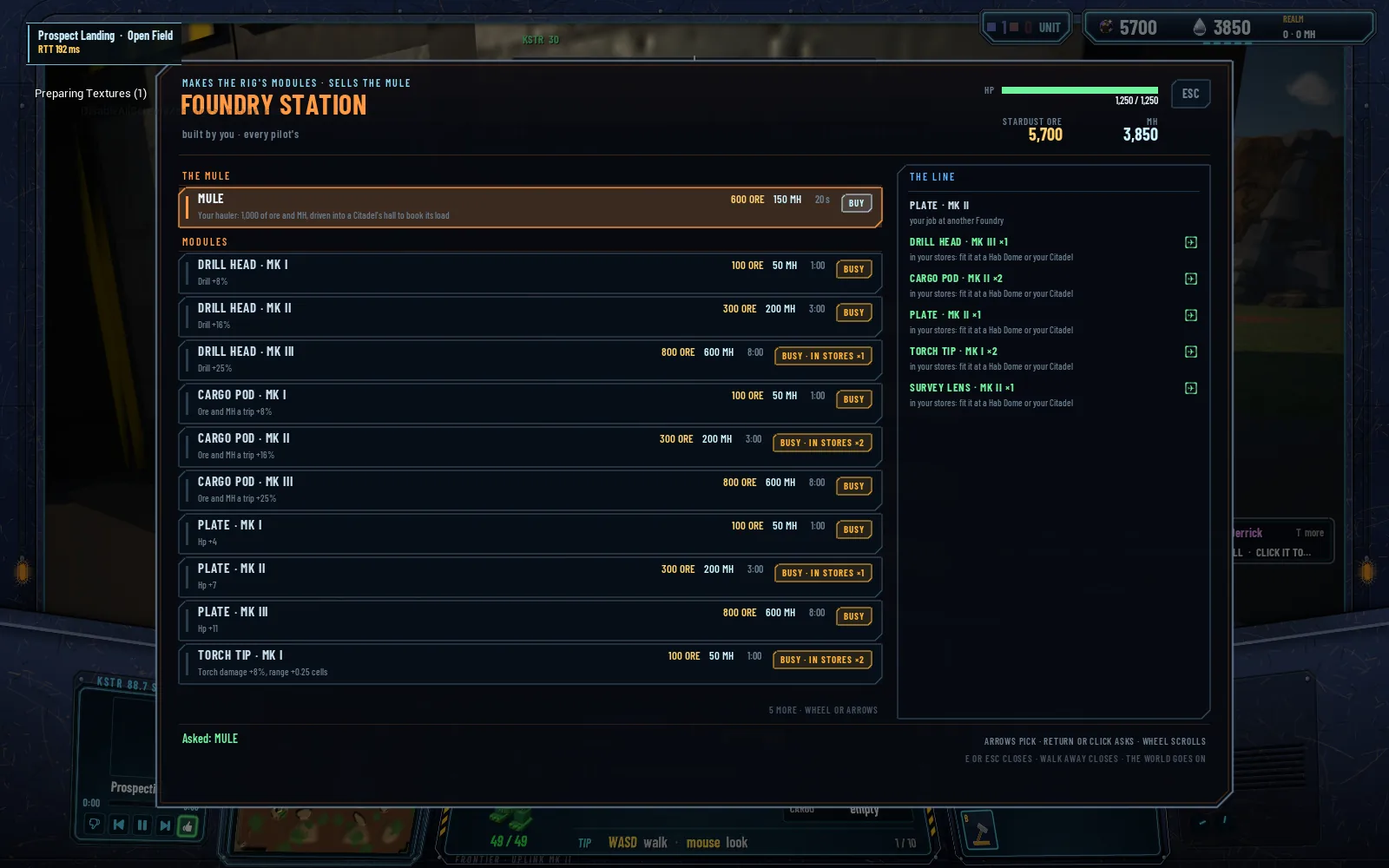
Every building with a screen has a station post, a short hazard-striped post with a big green button, beside its door. The Citadel's stands inside the hall on its left wall. Aim at the button and press E ("E · FOUNDRY STATION") and the screen opens over most of the view.
| Building | Its screen |
|---|---|
| Foundry | the Mule (600 ore and 150 MH, 20 s), the five modules at Mk I, II and III |
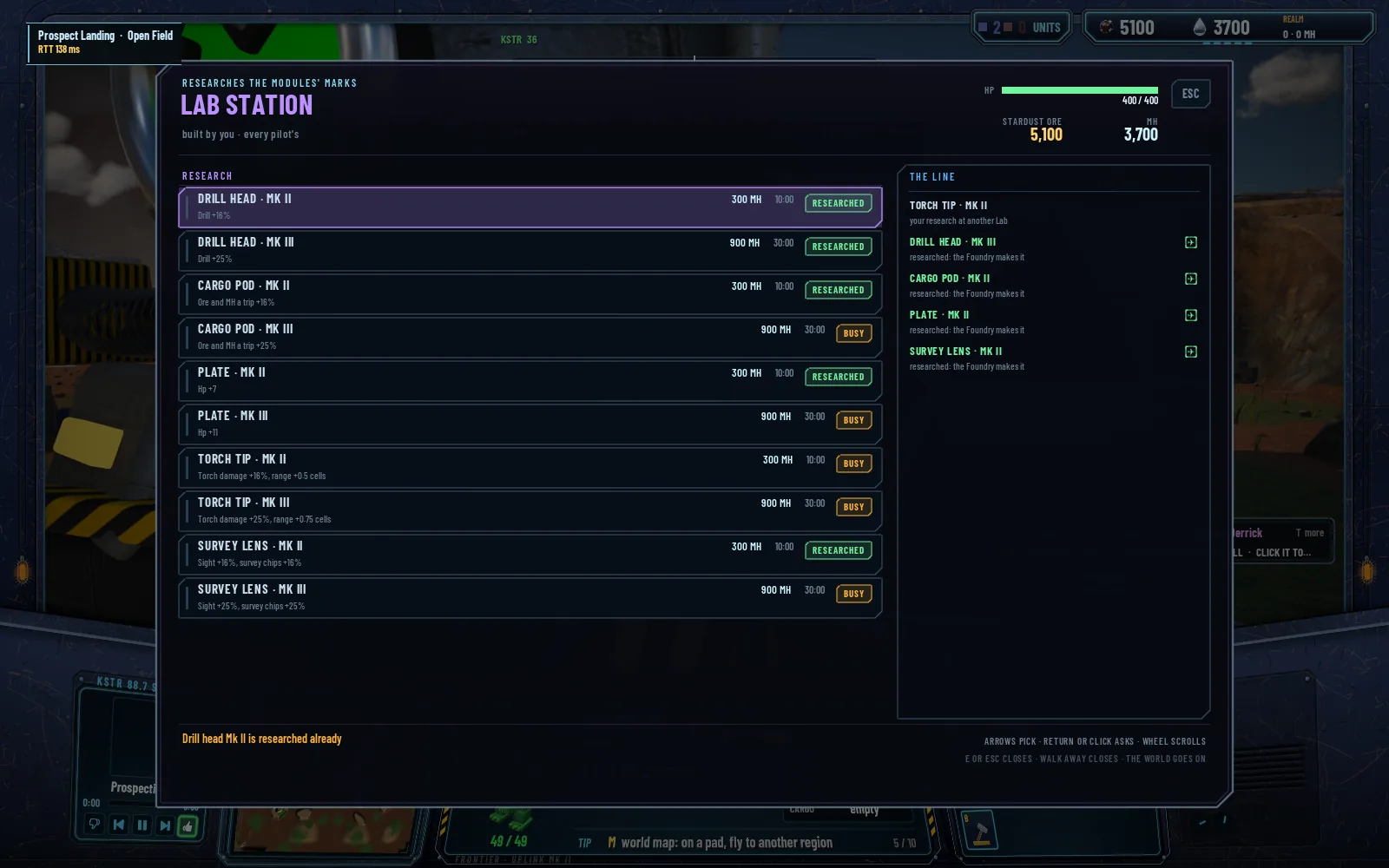
| Lab | research for each module at Mk II and Mk III |
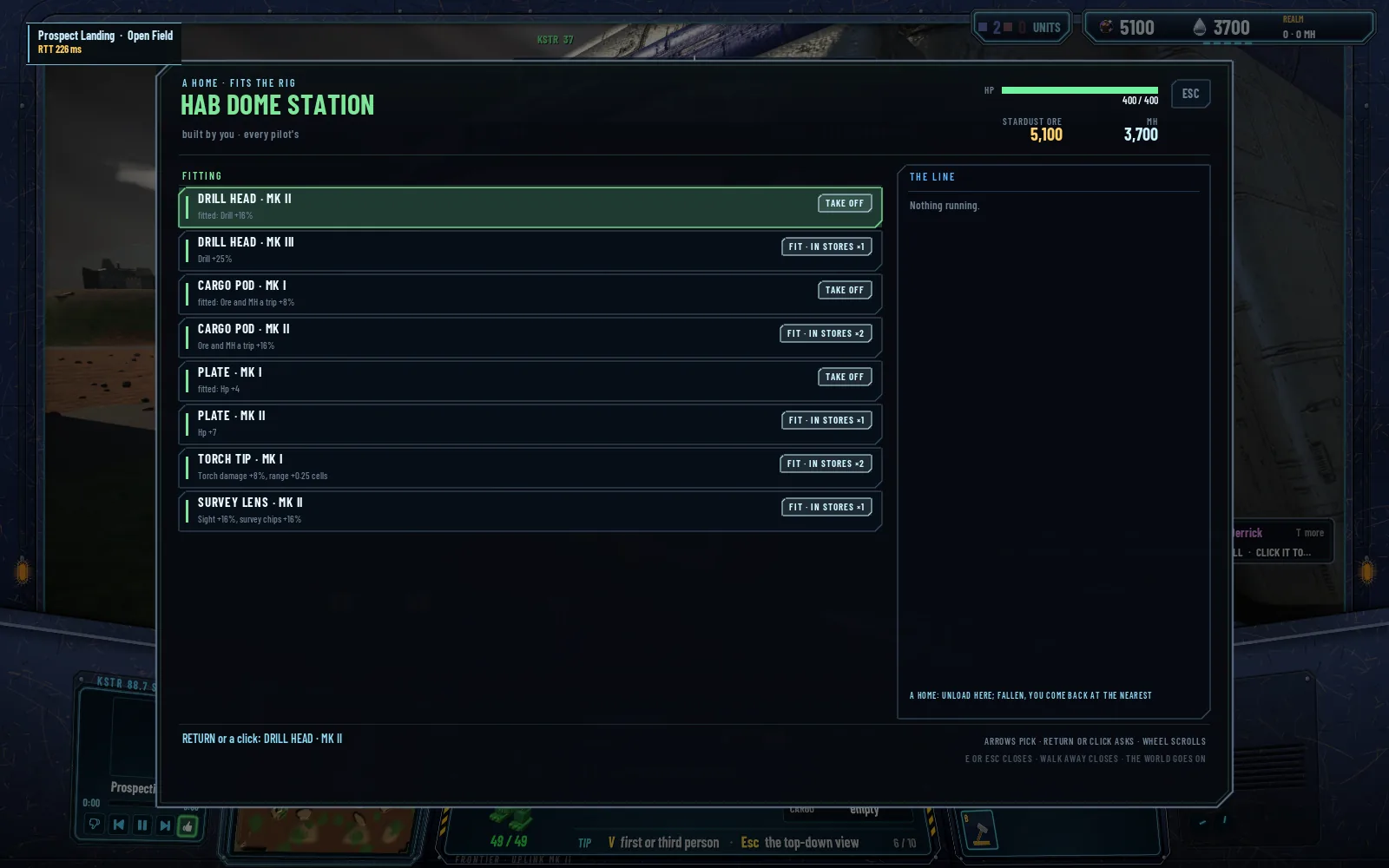
| Hab Dome | fitting the modules, and the pilot's livery |
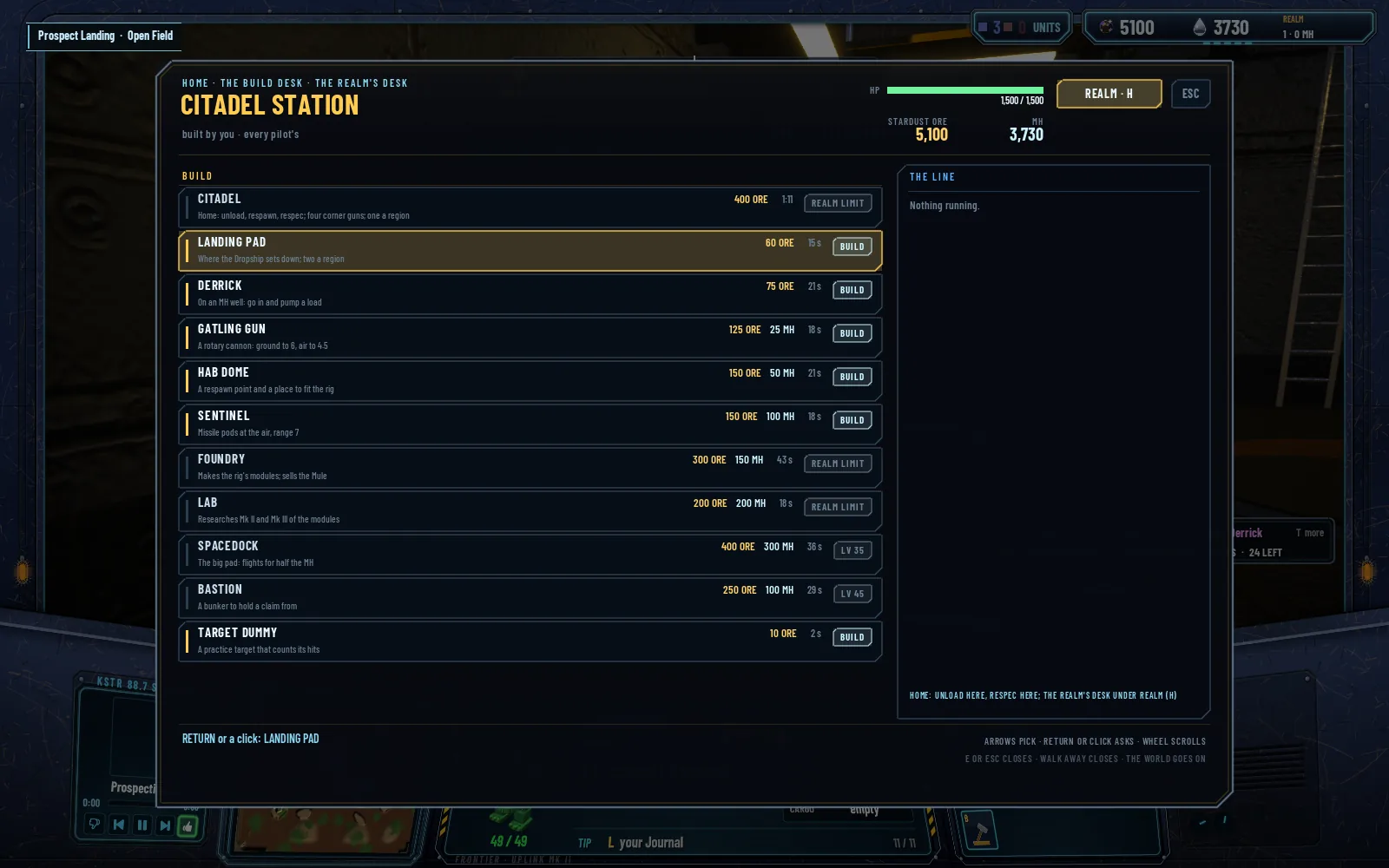
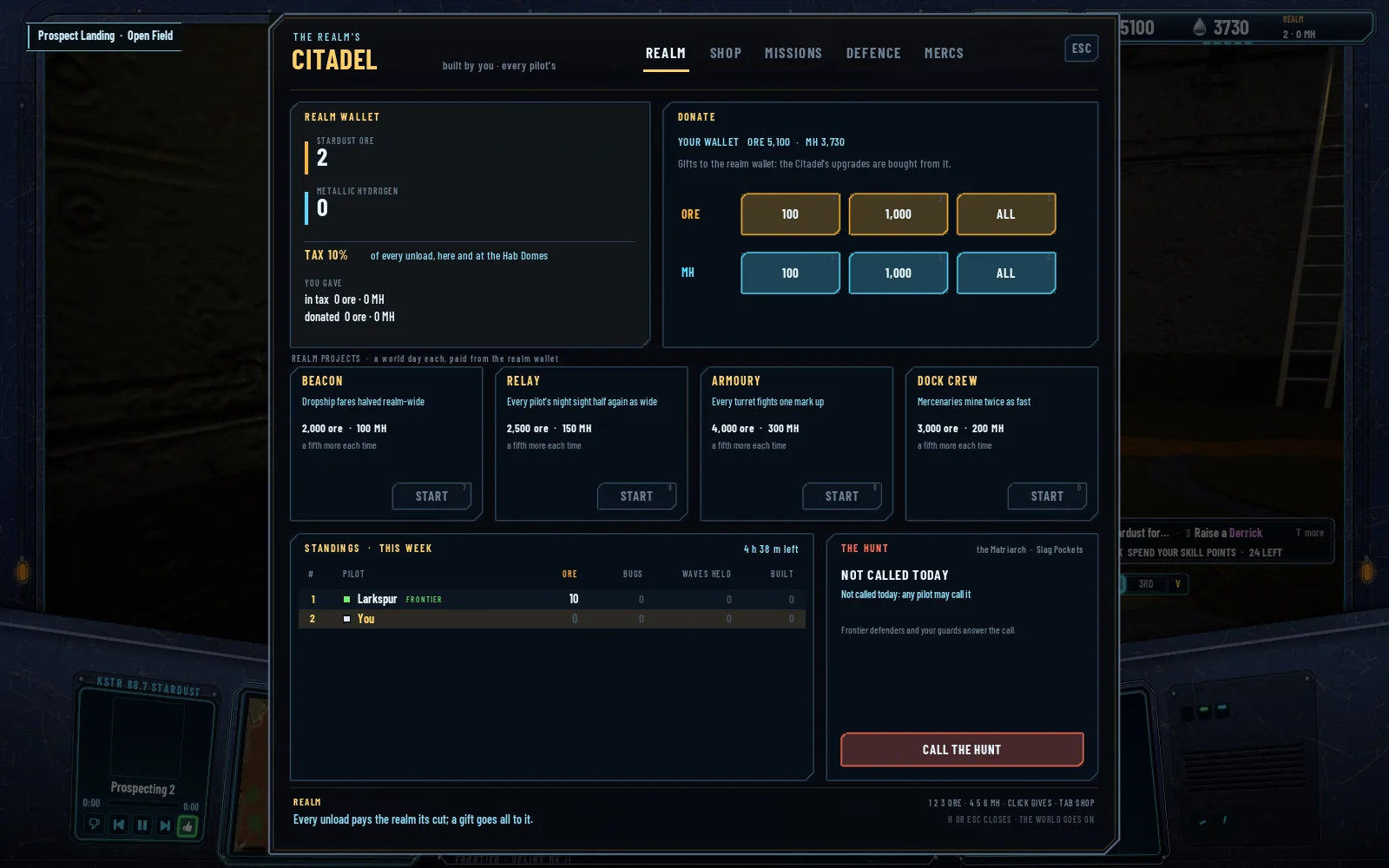
| Citadel | every blueprint to build or learn, the livery, and the realm's desk (H) |
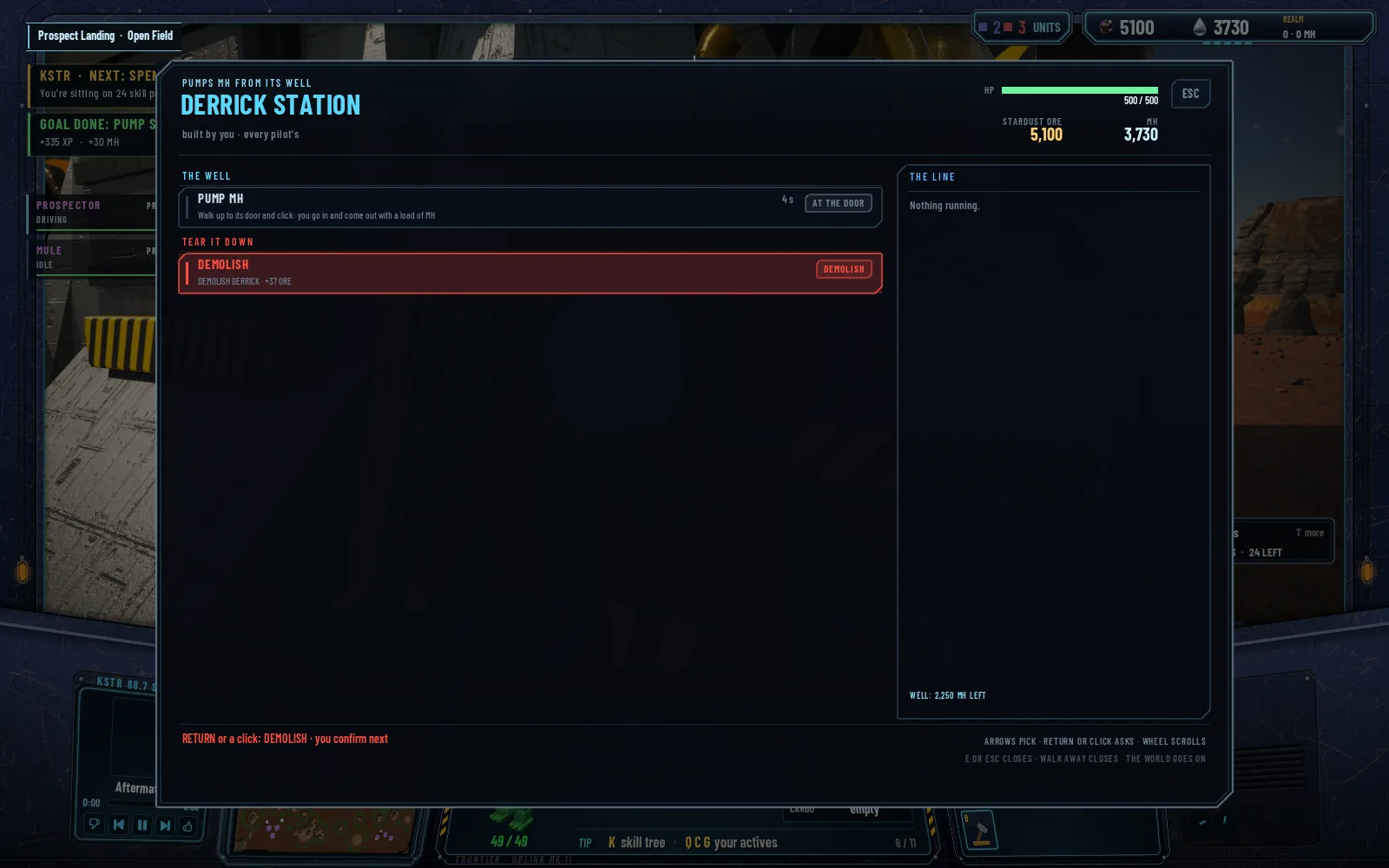
| Derrick | pumping its well, and what's left in it |
| Gatling Gun, Sentinel | the turret's card |
| Landing Pad, Spacedock | a call post for the Dropship, no screen |
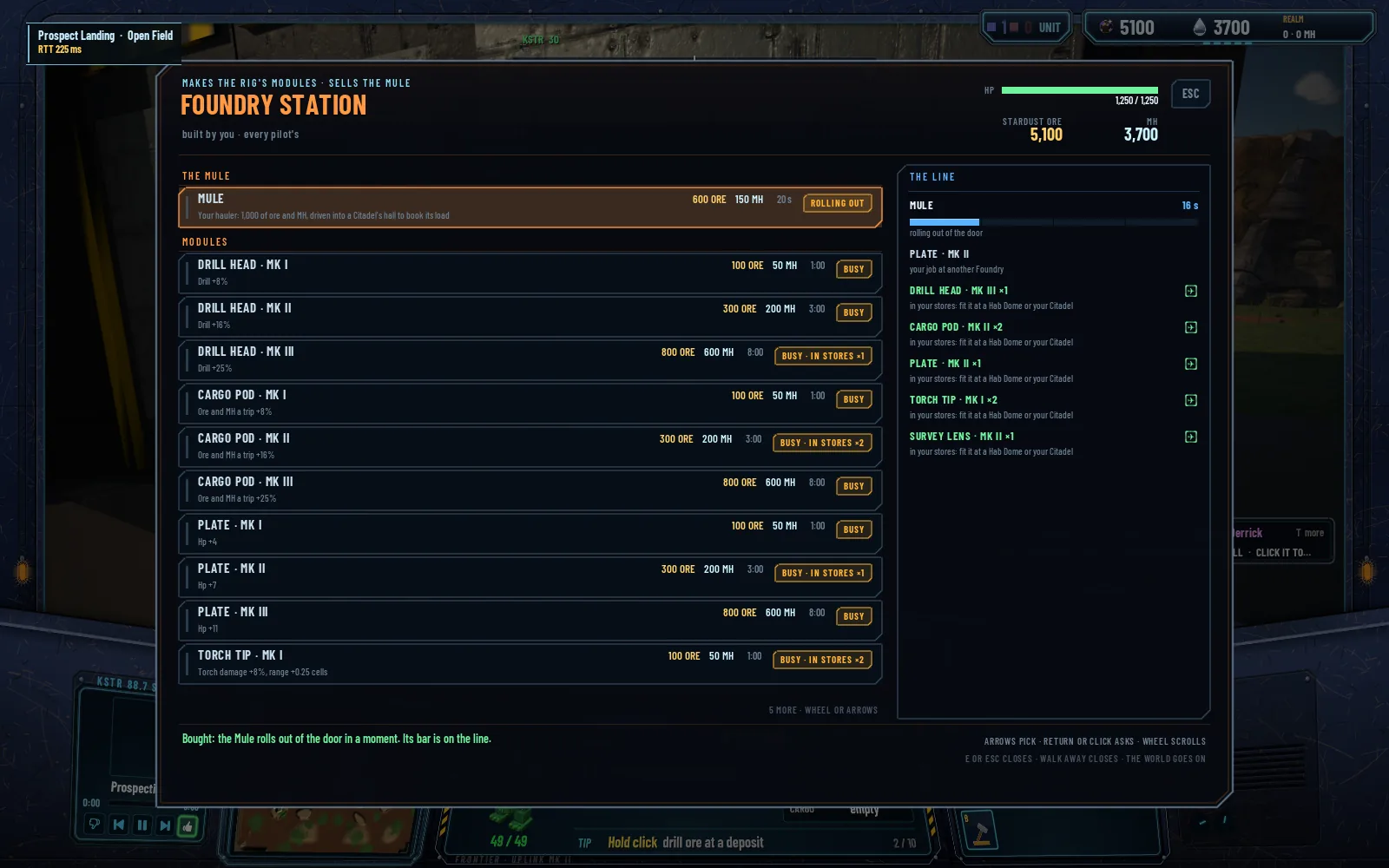
Each screen is in its building's colour: the Foundry molten, the Lab violet, the Citadel gold, the Hab Dome green. On the left are the rows, each with its price, ore in amber and MH in ice, red when the wallet is short, its time and a chip (BUY, ROLLING OUT, YOU HAVE ONE, SHORT). On the right is THE LINE: the job running with a bar marked in quarters and a countdown, the jobs waiting, and what's done. At the foot, why the picked row can't act, or the server's refusal. The world goes on while it's open, and walking away closes it.
The bar and the building agree because they read the same thing. The server now tells the game what each building is working on for the pilots, so the Foundry's four blue lamps count up in quarters as in the RTS mode, the next one blinking, and its door opens for the Mule about to roll out. A Lab researching pulses and spins its scanner.
Demolish, with a confirmation
Since 19 October a pilot can take down any of the realm's buildings in their region and get half the build price back: a Gatling Gun returns 62 ore and 12 MH, a Target Dummy 5 ore, a Citadel 200 ore. At the same time every building limit started counting the buildings in your region. It started as holding E for 1.5 seconds on the building, and I lost Derricks by accident.
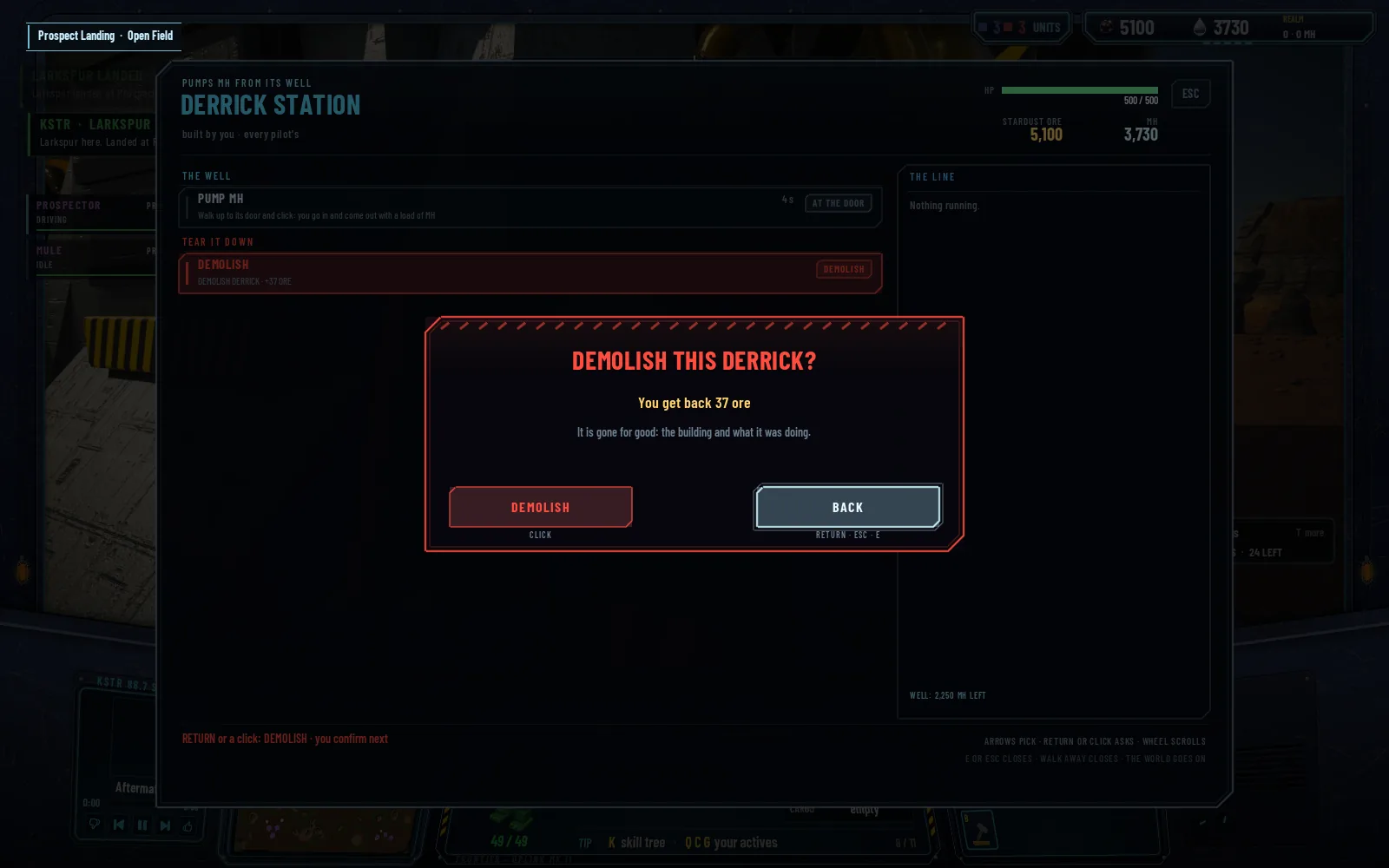
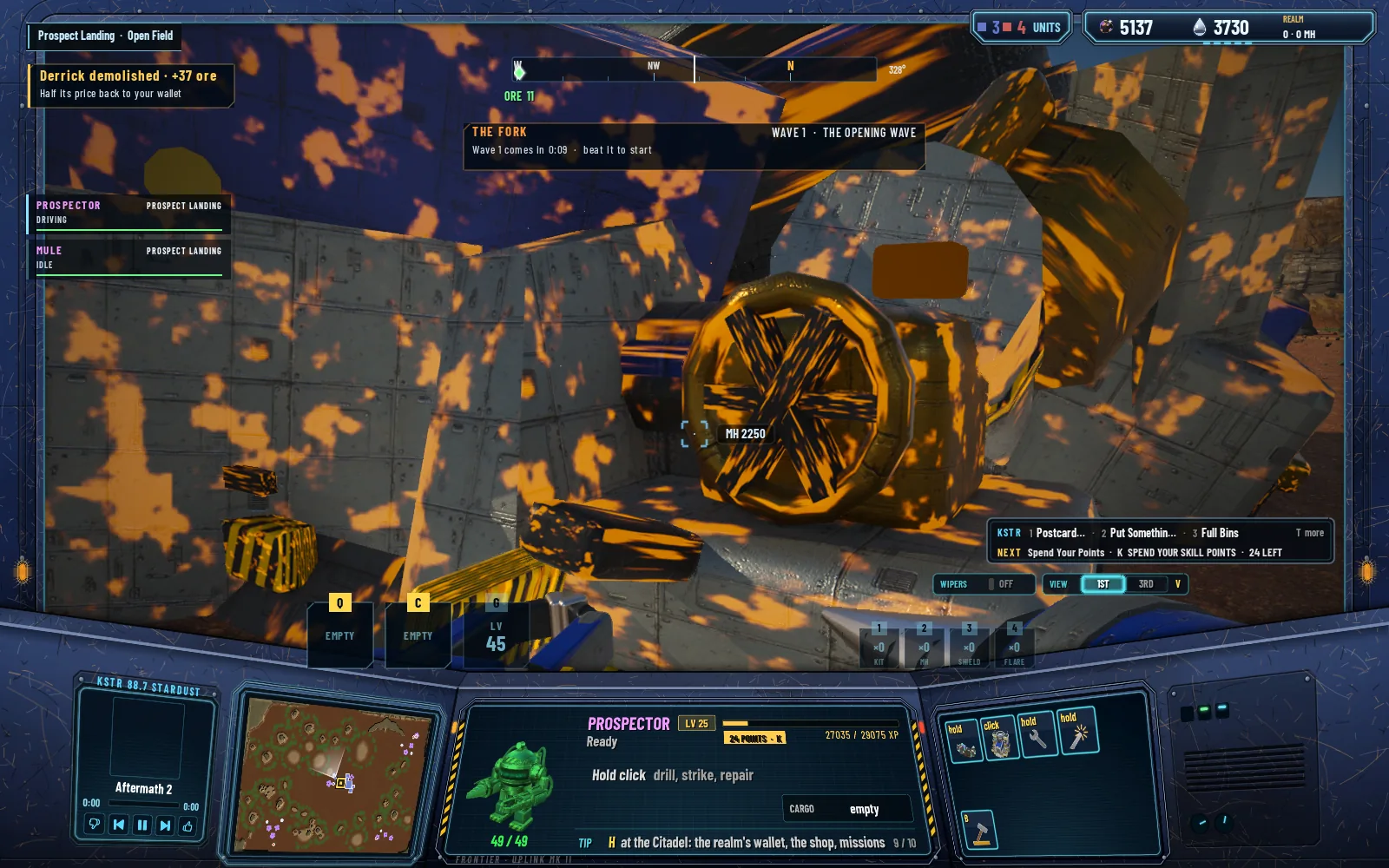
Since 21 October E never demolishes. The last row of every station screen is DEMOLISH, in red under TEAR IT DOWN, with the refund beside it; the screen never picks it first. A building without a screen has a DEMOLISH button on its card in the top-down view. Either opens "DEMOLISH THIS DERRICK? You get back 37 ore". BACK is the default, and Return, Space, Esc, E and Backspace all go back. DEMOLISH takes a click, and only once the dialog has been up 0.4 seconds, so the click that opened it can't land on it. The realm's last Citadel stays, and so does a Citadel with someone inside or at its guns.
The roster
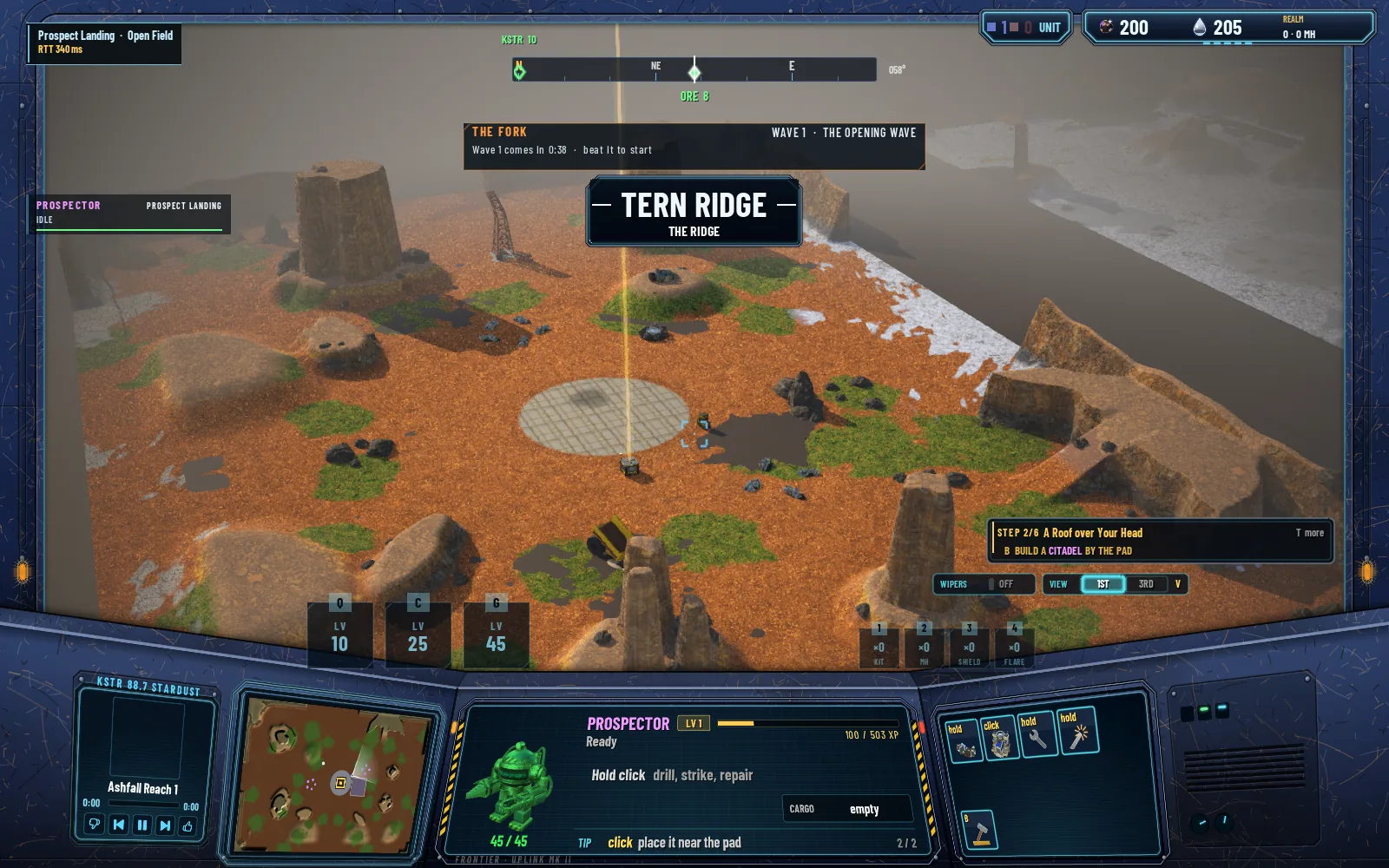
Down the left of the view, one row for each of your units anywhere in the world (today the Prospector and the Mule): its kind, its region, what it's doing (DRIVING, WORKING · MINING, IDLE, ABOARD, DOWN, ROLLING OUT), its load and its health. Click a row, or press Tab, and the camera flies to that unit, across regions if it has to, and you drive it.
The free camera
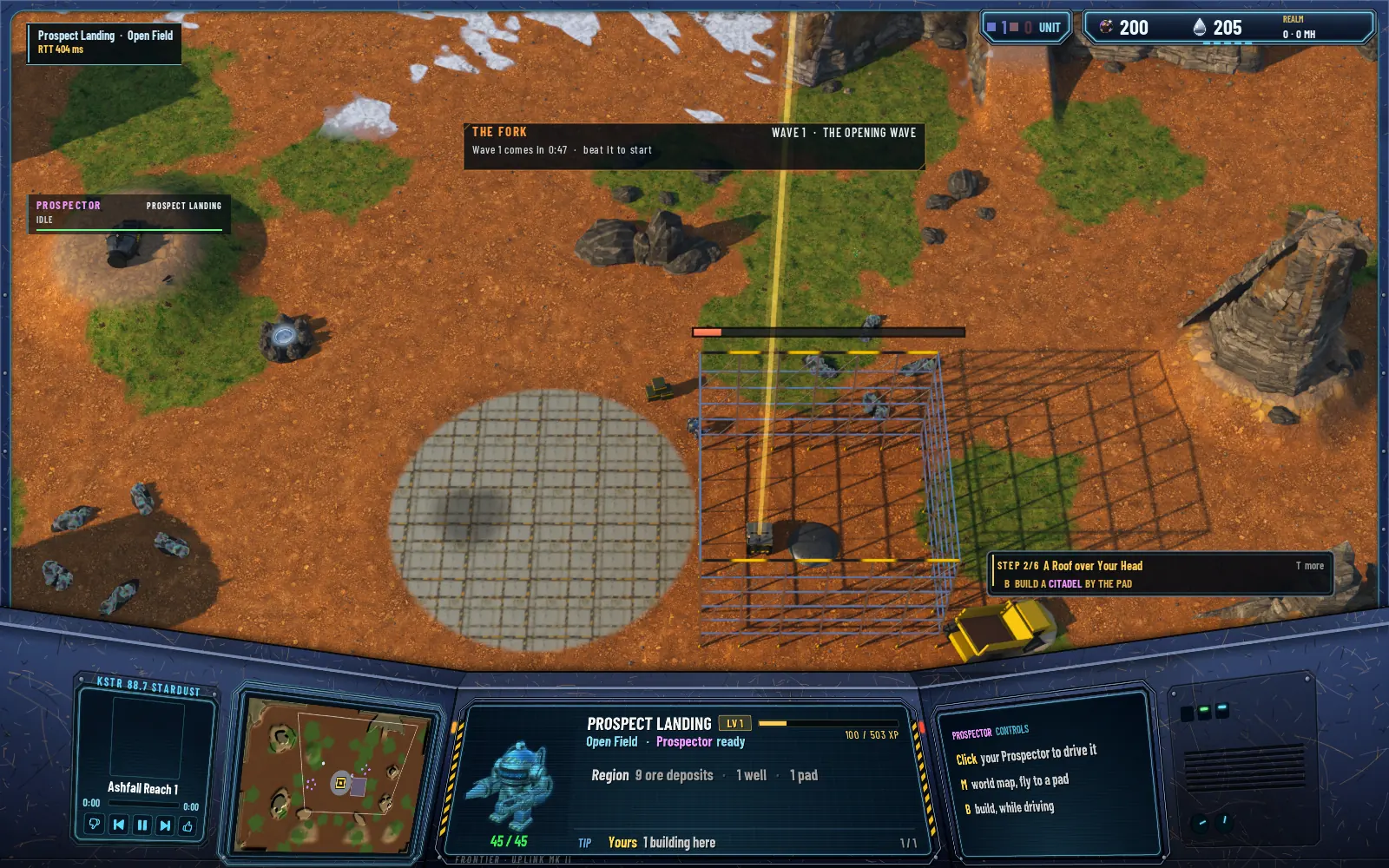
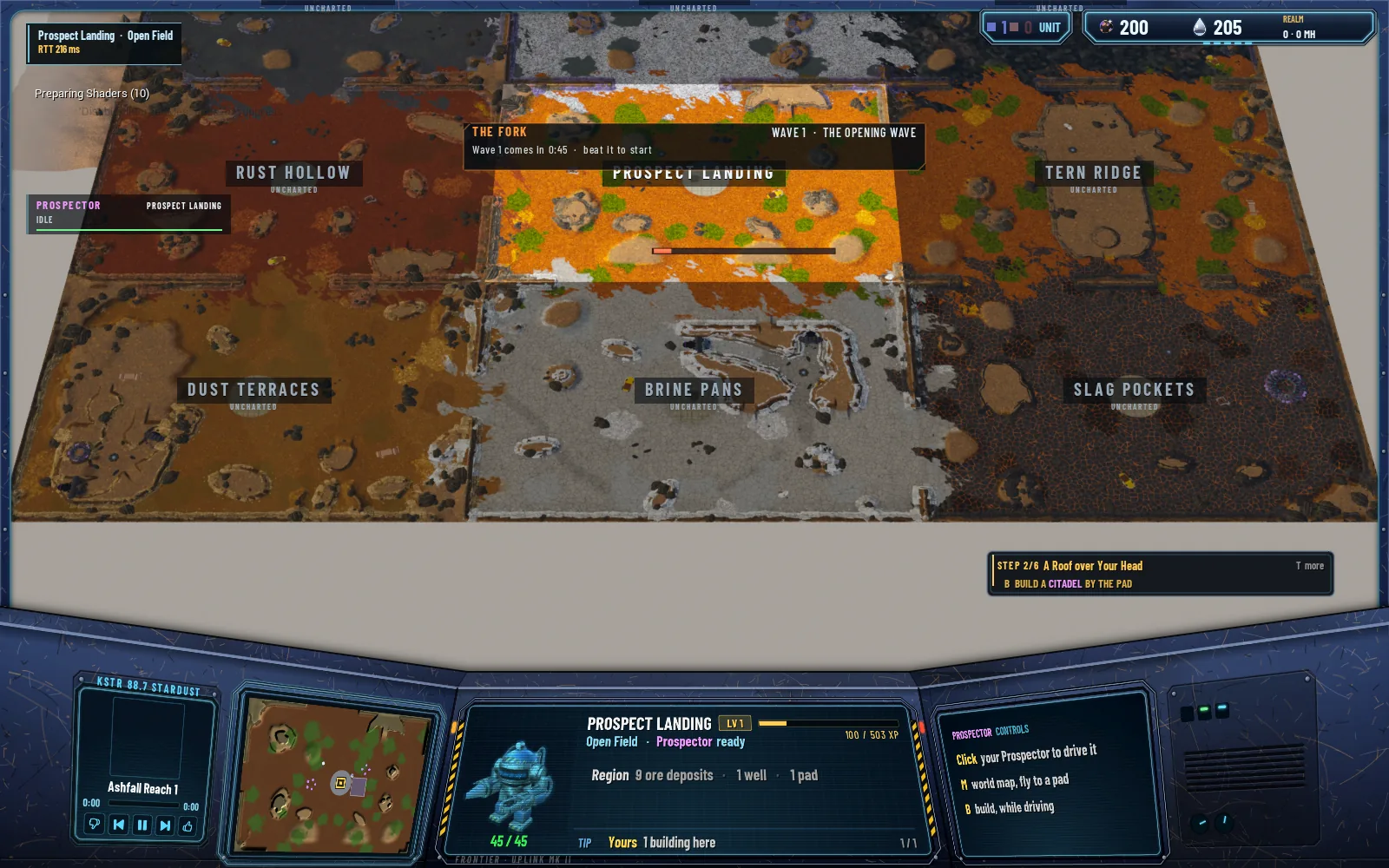
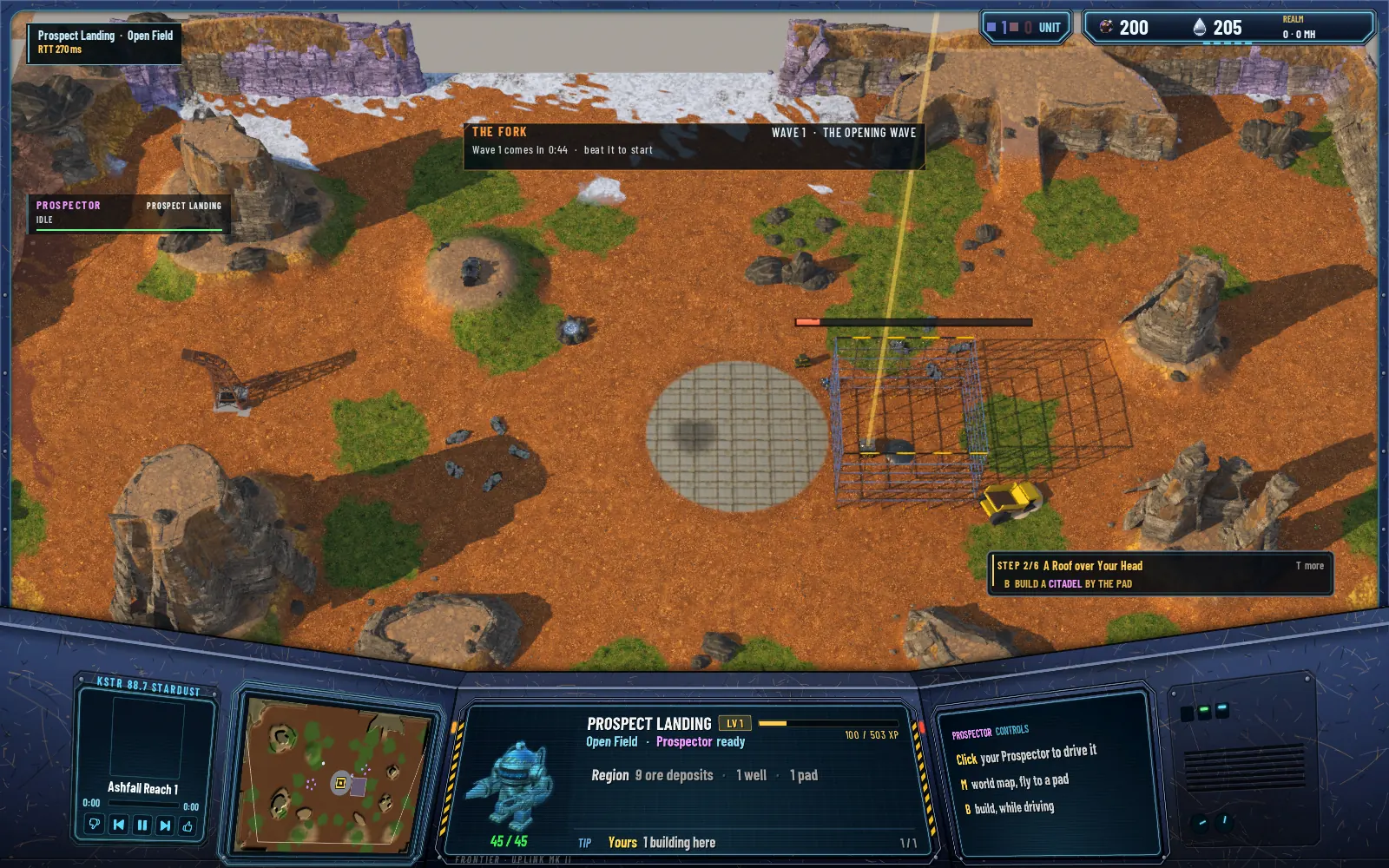
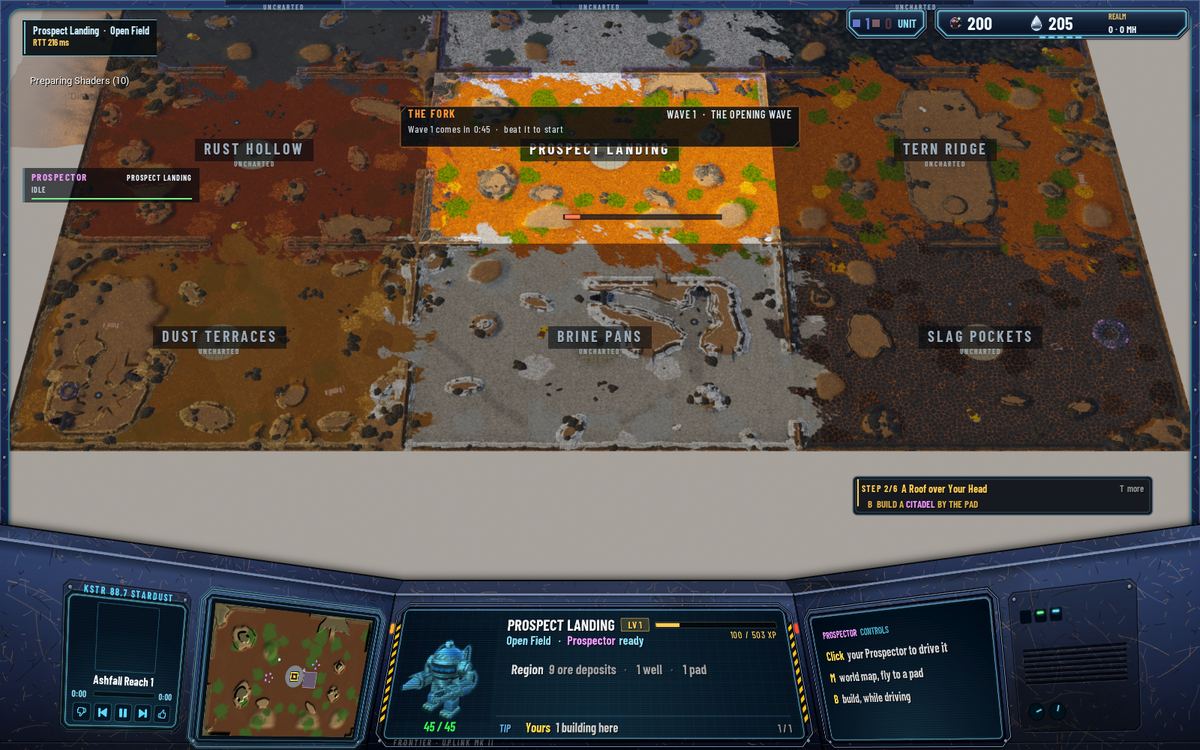
The top-down camera is free over the whole world. Pan with W A S D, the arrows, a drag or the screen's edges across every region, and zoom with the wheel from the closest view out to the whole world (0 fits it). Past about a region and a half tall it becomes the world view: every region as its satellite picture in its place, its name over it, the ones you haven't been to dim and marked UNCHARTED. Click one to zoom in, and the live view comes back.
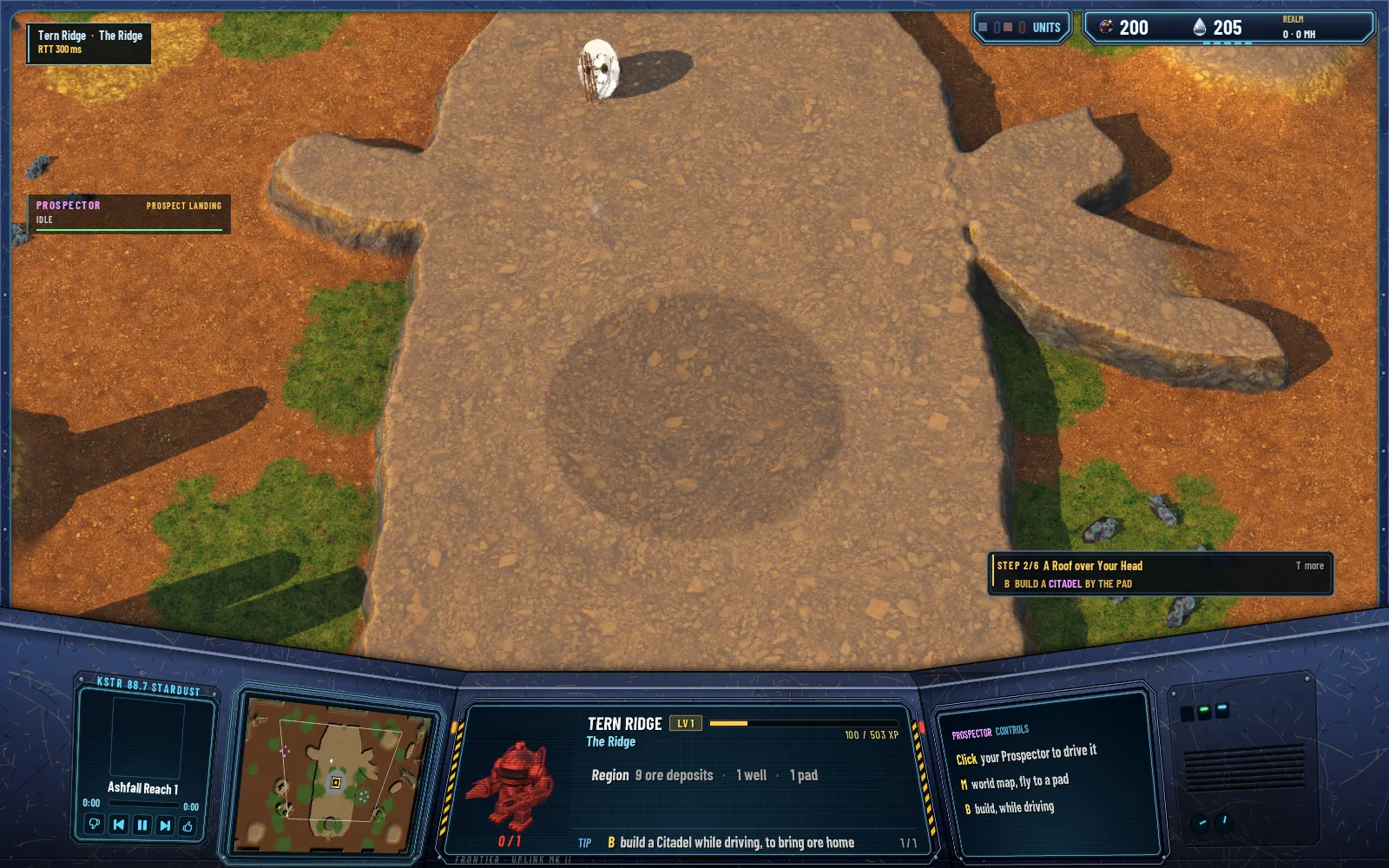
The region the camera looks at is where you are. With nothing driven, the server moves your seat there and streams that region live, whether any of your units are in it or not. Your Prospector stays where you left it, working.
Stations, demolish and the view
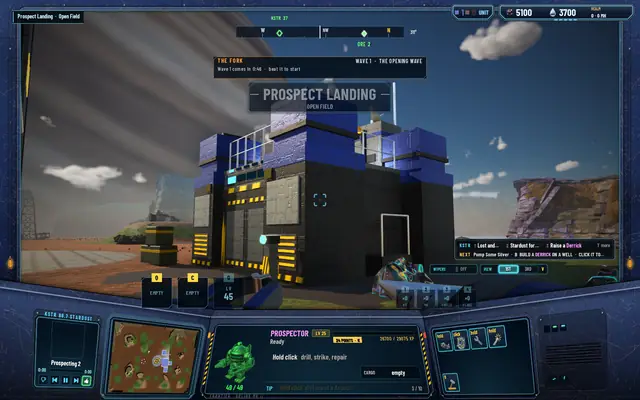 The Foundry's lamps counting up mid-build.
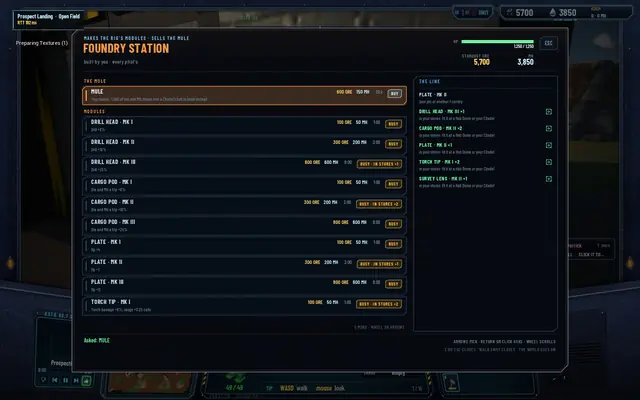 FOUNDRY STATION.
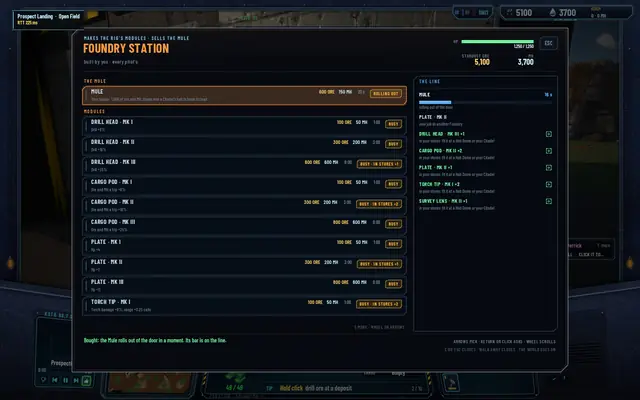 The Mule bought: ROLLING OUT, the bar in the line.
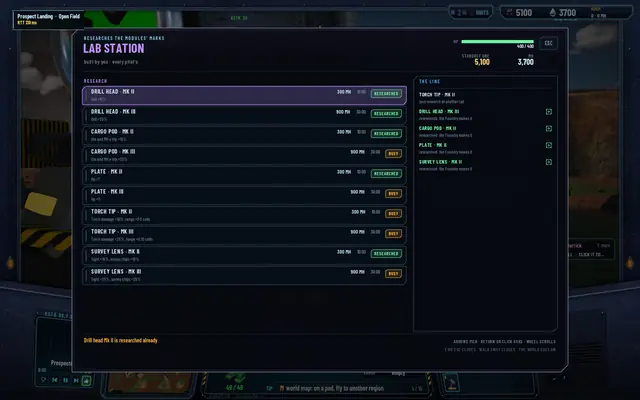 LAB STATION.
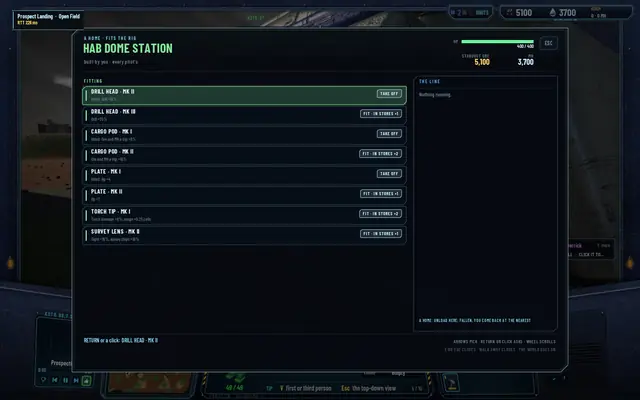 HAB DOME STATION.
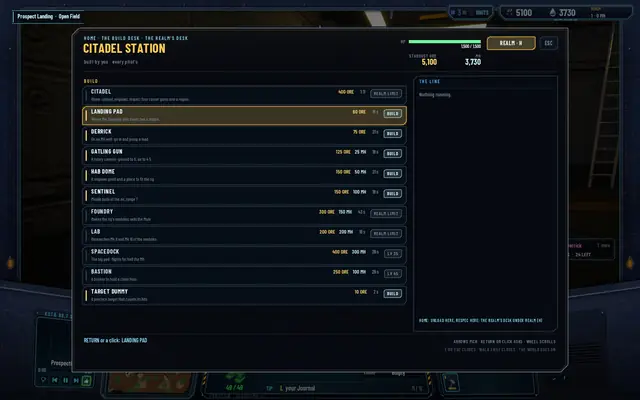 CITADEL STATION: the blueprints.
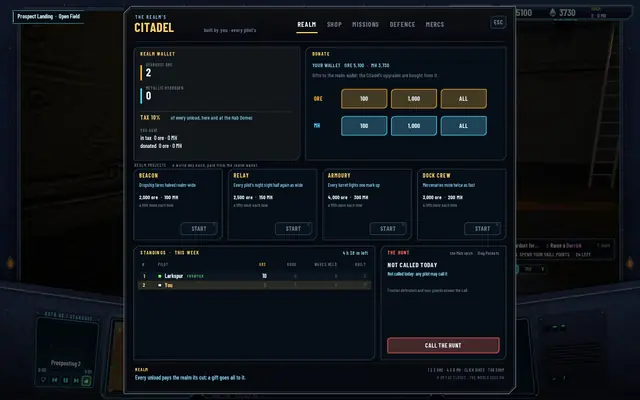 H: the realm's desk.
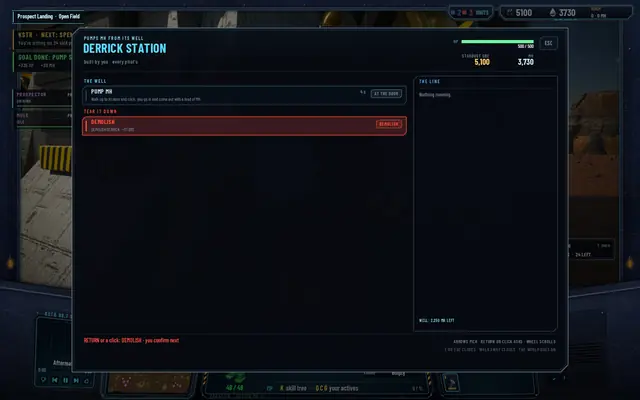 TEAR IT DOWN, the last row.
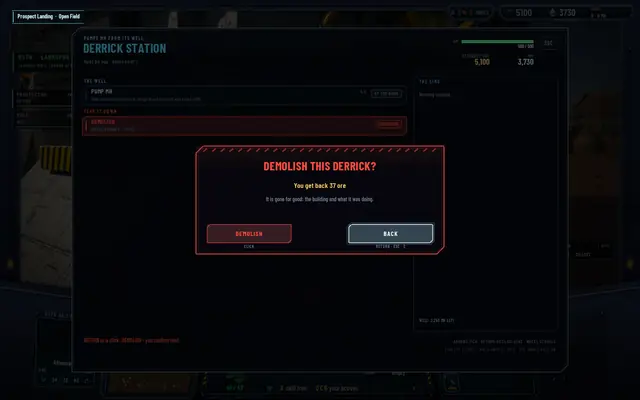 The confirmation. BACK is the default.
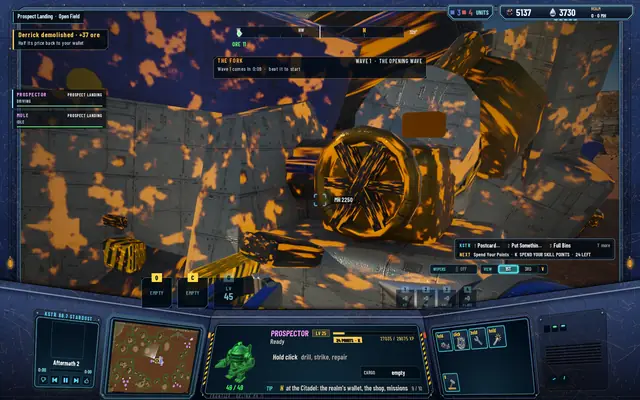 Gone, 37 ore back.
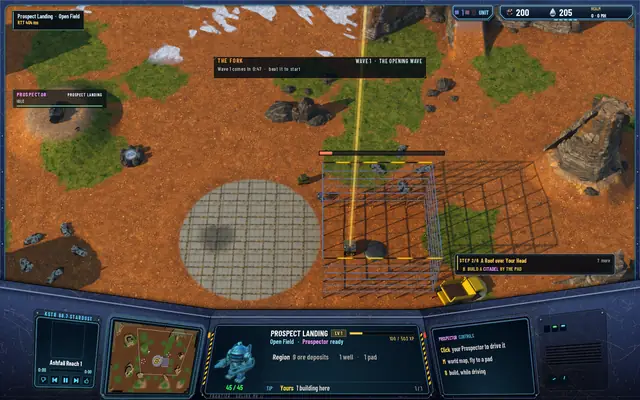 The roster.
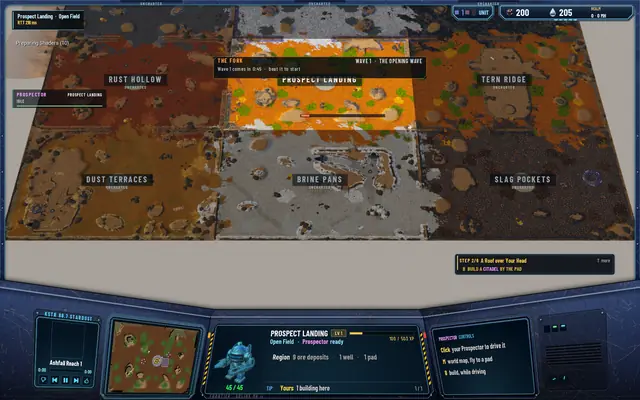 The world view.
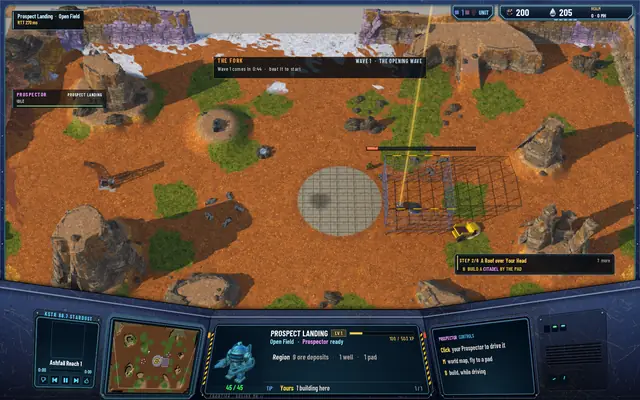 Zoomed back in: live again.
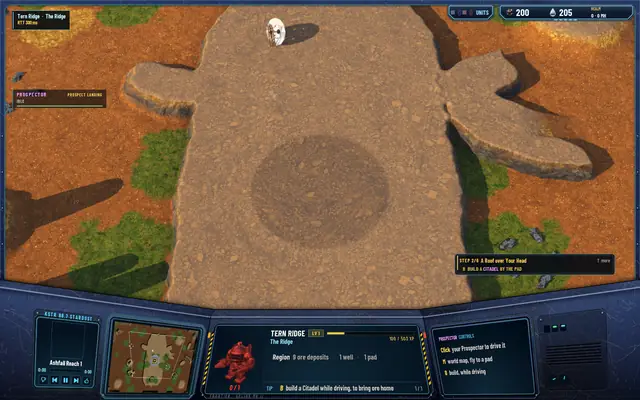 Watching Tern Ridge; the Prospector is still at home.
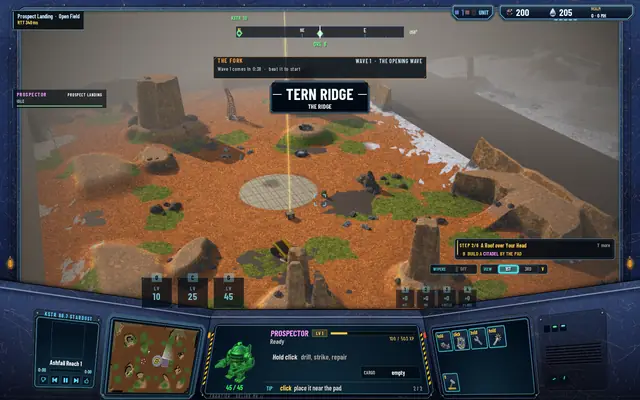 A click on the roster row: back to the Prospector, driving it.